Stamp Days 1.7: Plus, Pro, and why tracking stays free
Stamp Days now counts your Schengen 90/180 days and your days per country for each tax year. With that, it has two paid tiers: Plus, which you buy once, and Pro, a yearly subscription. Here's what's in each, and why I split it that way.
Stamp Days counts the days you spend in each country. It notices border crossings in the background, so you never log a thing. Version 1.7 is out today, and it's the biggest update since the app launched.
What's new: Schengen 90/180 and Tax Days
The question I get most from people who travel a lot isn't "where have I been?". It's "how many days do I have left?". Two rules come up again and again.
- Schengen 90/180. If you're not an EU citizen, you can spend 90 days in any 180 in the Schengen area. The window rolls, so the answer changes every day. Stamp Days now works it out from the days it has already recorded: how many days you have left, the last day you can stay, and when your full 90 come back. You can add planned trips to see whether they fit, get a reminder before your last day, and share a border report of your stays.
- Tax Days. Many countries look at how many days you spent there in a tax year. Stamp Days now shows your days in each country for every tax year, including the UK, Indian and Australian tax years. It shows midnights, travel days, your longest stay and the US substantial presence test, and it exports a PDF or a spreadsheet for your tax adviser.
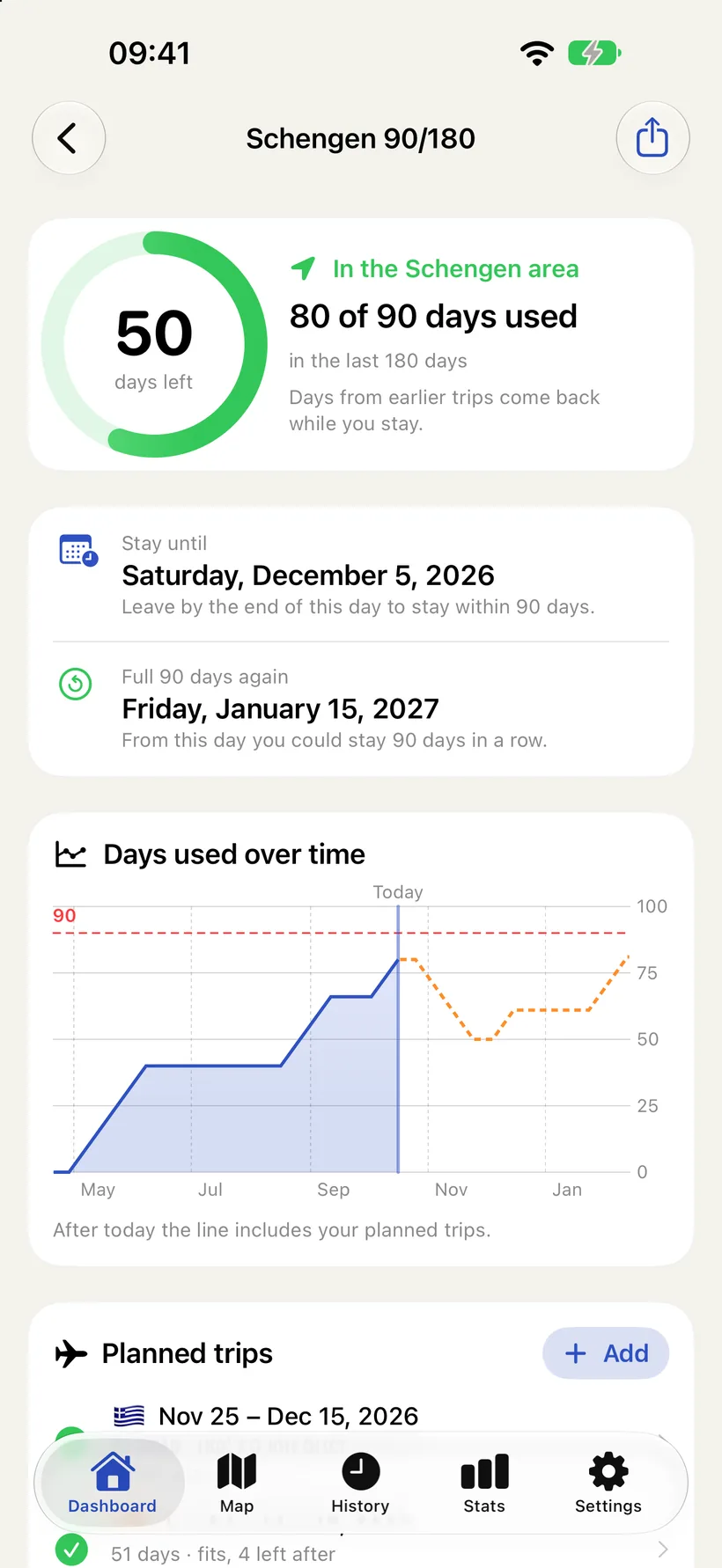
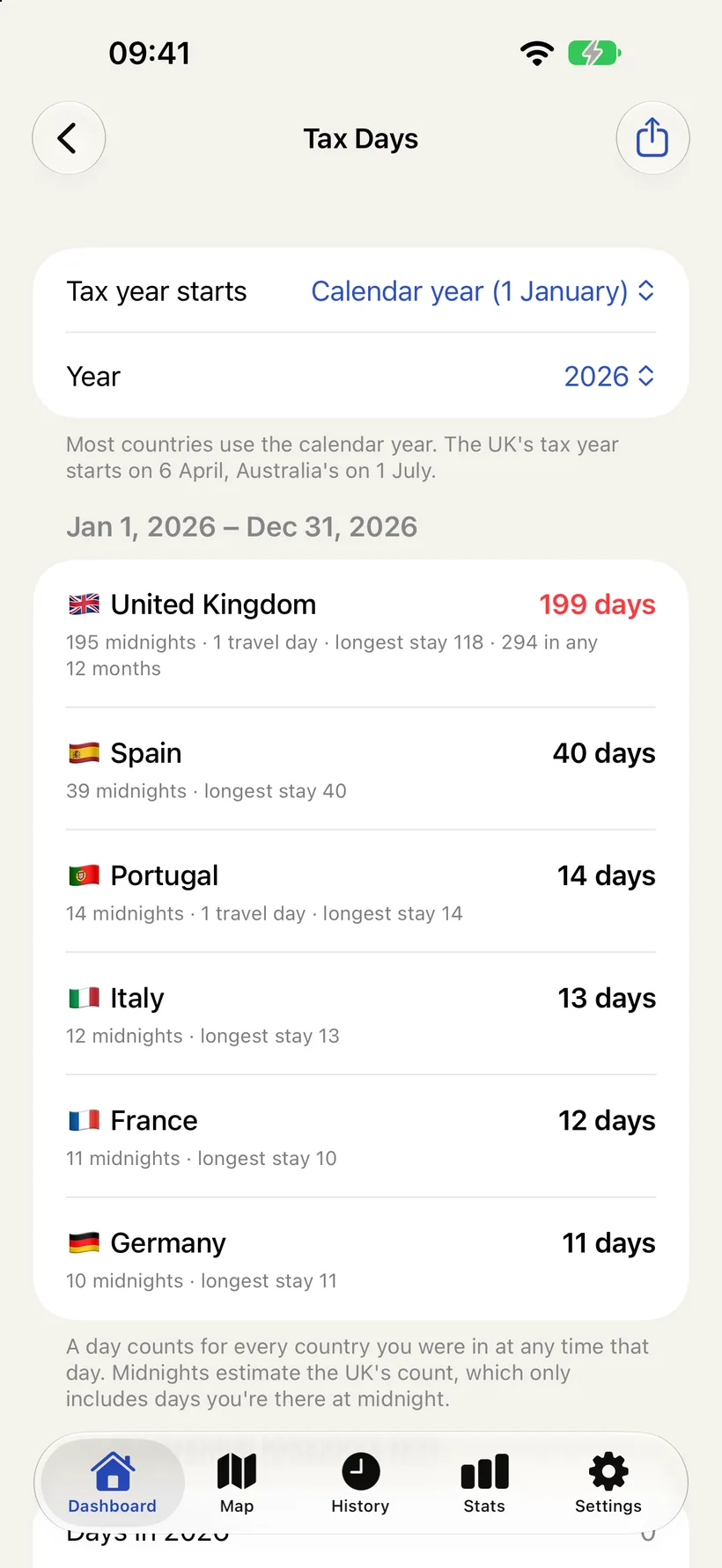
Both are planning aids, and the app says so on screen. They count from the days Stamp Days recorded. They don't make a visa decision or give tax advice: the record at the border, and your tax adviser, have the final word.
Three tiers
Before 1.7, Stamp Days had one purchase: a one-time Pro unlock. Schengen and tax counting are a different kind of feature, so they got their own tier. Now there are three:
| Feature | Free | Plusonce | Proyearly |
|---|---|---|---|
| Automatic tracking, map, history, On this day, widgets | ✓ | ✓ | ✓ |
| Visits added by hand | 5 | Unlimited | Unlimited |
| Import past trips from Photos | – | ✓ | ✓ |
| Charts and data export | – | ✓ | ✓ |
| Schengen 90/180, planned trips, reminders, border report | – | – | ✓ |
| Tax Days and the tax report | – | – | ✓ |
Plus is €4.99 once, and Pro is €9.99 a year with a 3-day free trial. In the U.S. that's $3.99 and $9.99. The App Store shows the price where you are.
Why tracking stays free
Counting your days is the whole point of the app, so it's never limited. There's no cap on countries or days, no time limit, and no account. The map, the history, On this day and the widgets are free too. If all you want is an honest count of where you've been, you never need to pay.
Why Plus is a one-time purchase
Plus is what the old Pro unlock was: Import from Photos, the charts, unlimited hand-added trips and export. These features do their work once. You import your photo library, you export a spreadsheet, you look at your year. A subscription for that would feel like rent on something you already have, so it's one payment and it's yours.
Why Pro is a subscription
Schengen and tax counting are different. You use them year after year: every trip to Europe, every tax year, every reminder before a last day. They're also the parts I'll keep working on, as tax years, rules and the ways people travel change. A yearly price matches how they're used, and it pays for that upkeep.
The trial is three days because that's enough to answer the real question. Pick a start date, and you see your own days left, from your own history, straight away. If the number is useful, keep it. If not, cancel before the trial ends and nothing is charged.
Pro includes everything in Plus. If you already have Plus, you subscribe to Pro the same way. There's no separate upgrade to work out.
If you bought Stamp Days Pro before
You keep everything, and that includes Schengen and Tax Days, for no extra cost. The old one-time Pro isn't sold any more, but the app still reads it, and it unlocks the full Pro tier. There's no cut-off date and nothing to migrate. Restore your purchase on a new phone and it's all there.
And if you've had Stamp Days since before it had any purchases at all, you still get Plus for free, as before.
How it's built
Purchases go through StoreKit 2, in a small purchase library I share between my apps. It knows about one-time products and subscriptions, and it reports which products the user owns. Stamp Days turns that into one value, a tier:
enum ProTier: Int, Comparable {
    case free, plus, pro
}

static var tier: ProTier {
    let store = ProManager.shared
    switch store.accessState {
    case .locked:
        return .free
    case .grandfathered, .undetermined:
        return .plus
    case .purchased:
        if store.owns(lifetimeID) || store.owns(proYearlyID) { return .pro }
        if store.owns(plusID) { return .plus }
        return .pro
    }
}
Each feature asks for the tier it needs, and nothing else in the app knows about product IDs. Two details took some thought:
- The old lifetime product maps to Pro. It never goes away in the code, so a restore on any device, years from now, still unlocks everything.
- "Not sure yet" means Plus, not Pro. Right after launch, or offline, the app may not know yet what you own. Paying customers are already covered by the cached entitlement, so anyone still unknown is either a free user or an early user. Plus is the safe answer there: falling back to Pro would hand out the subscription for free.
The paywall is one screen with two cards: Plus with "one payment", and Pro with its trial and the yearly price. The renewal terms, the privacy policy and the terms of use are on the same screen.
Shipping new purchases
A few things I'd tell anyone adding a subscription to an app that already has a one-time purchase:
- Submit new in-app purchases together with the app version. One that's only marked ready to submit isn't reviewed on its own.
- In the review notes, name each product, where it appears in the app, and the taps to get there. It saves the reviewer from hunting.
- Put the terms of use link in the App Store description as well as in the app.
- Stop selling the old product only after the release goes live. Removing it from sale keeps it restorable, so nobody who paid loses anything.
- Decide what happens to existing customers before anything else, and tell them in the release notes.
Stamp Days 1.7 is on the App Store. It's free to download, needs no account, and your travel history stays on your iPhone. If you spend a lot of time in Europe, or you need your days for taxes, give Pro's three free days a try.
Questions about the tiers, or a tax year Stamp Days should know about? Send me an email.