Castwave is out: an IPTV player made for Apple TV
My first Apple TV app is on the App Store. Castwave plays the IPTV playlist you already have, and tries hard to feel like it belongs on the big screen. Here's what it does, and what tvOS and App Review taught me on the way.
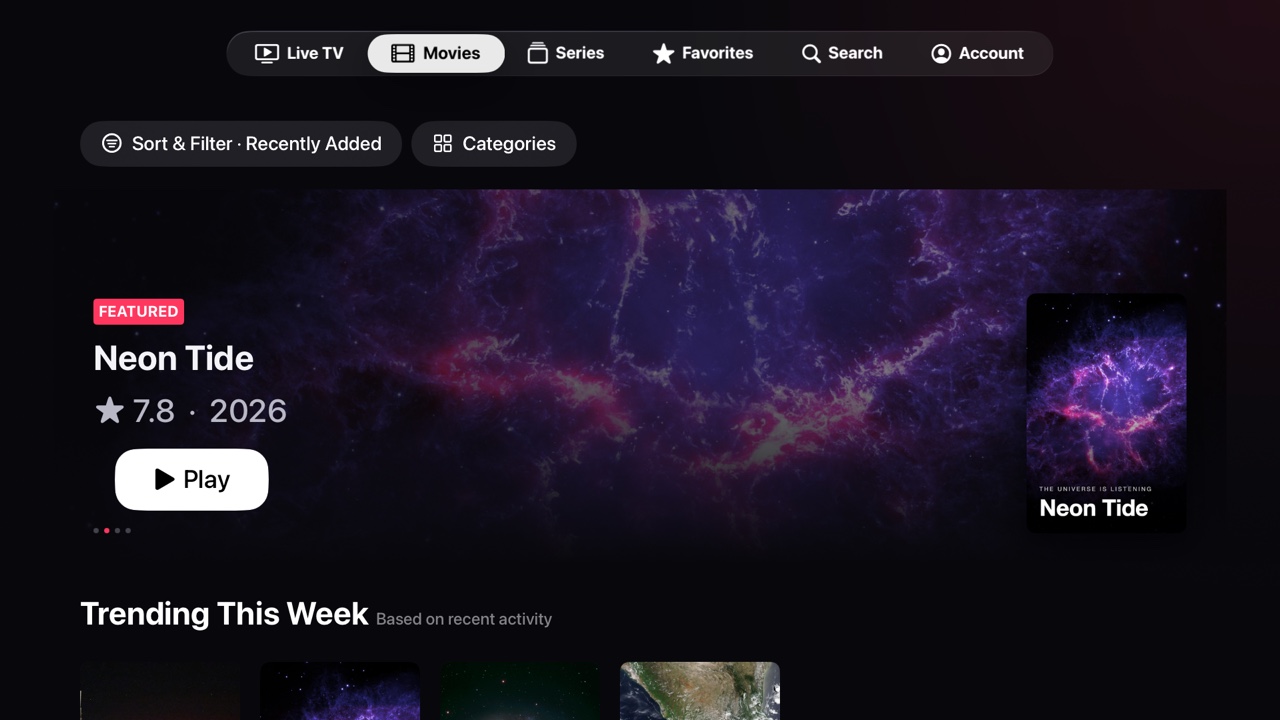
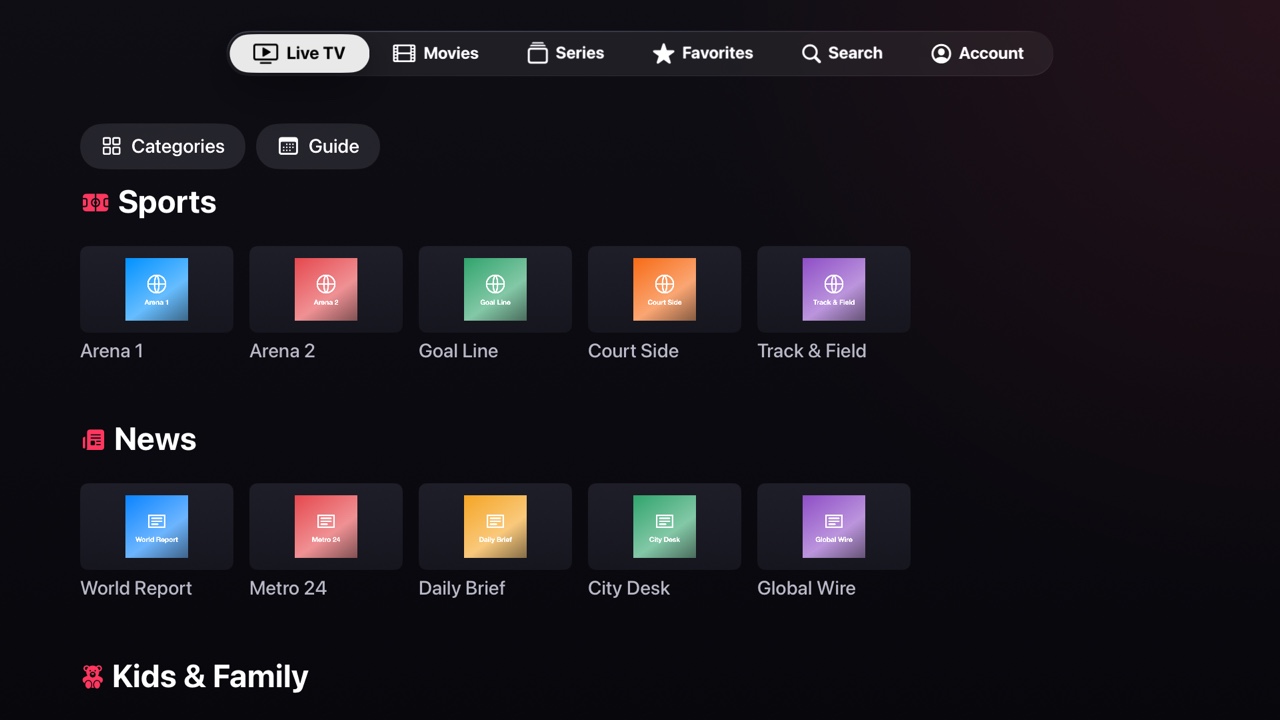
Castwave is an IPTV player for Apple TV. You add the playlist from your own provider, with an Xtream Codes login or an M3U link, and you get live TV with a guide, movies and series with real artwork, and a player that opens almost any stream. It comes with no channels or content of its own.
I built it because I wanted it. The IPTV apps I tried on Apple TV either looked like a spreadsheet or stuttered on half my channels. I wanted the same feel as the Apple TV app: big artwork, a focus engine that does what you expect, and Continue Watching right on the Home Screen.
What's in 1.0
- Live TV with a guide. Channels by category, what's on now and next, and a full programme guide for Xtream Codes playlists.
- Movies and series. Posters, backdrops, plots and ratings, seasons and episodes, and Continue Watching that picks up where you stopped.
- Favourites in folders. Channels, movies and series together, in the order you choose.
- Top Shelf. Continue Watching and Recently Added appear on the Apple TV Home Screen when Castwave sits in the top row.
- Several playlists. Add as many as you like and switch between them in Account.
Castwave is free to download, and you can add your playlist and browse everything for free. Castwave Pro unlocks playback for $19.99 a year, with a 7-day free trial.
Two video engines
IPTV streams are a mixed bag. Many are HLS, which Apple's own player handles beautifully, with the familiar controls and subtitles. Many others are MPEG-TS, MKV or HEVC in containers Apple's player won't open at all.
So Castwave has two engines. It starts with Apple's player whenever the stream allows it, and it uses VLCKit, the engine behind VLC, for everything else. If a stream opens but shows no picture, there's a Switch Player button in the controls that moves it to the other engine, and Castwave remembers that choice for the channel.
The hard part wasn't playback. It was making the two engines feel like one app: the same info banner, the same favourite button, the same way to step through channels with the remote.
Things tvOS taught me
- The simulator lies about storage. On a real Apple TV, an app can't count on anything it writes outside its caches folder staying there. In the simulator everything persists, so it all looked fine until the first real device: Castwave re-imported the playlist on every launch and the Top Shelf stayed empty. Now everything lives in caches and is rebuilt quietly when tvOS clears it.
- Focus only reaches what exists. In my Favourites tab, channels, movies and series were three lazy grids stacked in one scroll view. tvOS only builds a lazy grid's cells when they scroll into view, but scrolling only happens when focus moves, so focus could never get down to the series. Small sections now use a plain grid.
- Pictures have to be the right size. A row of posters at full resolution makes horizontal scrolling stutter. Castwave now decodes each image at the size it's drawn, off the main thread, which keeps the rows smooth without making them blurry. That one lands in the next update.
Things App Review taught me
- Give the reviewer something to watch. An IPTV player with no playlist is an empty screen, so the review notes include a demo playlist of freely licensed test streams, and the notes say where to paste it.
- Apple TV apps need their privacy policy as text. The App Store page can't link to it on a TV, so App Store Connect wants the whole policy pasted in before you can submit.
- An app's first subscription has to go to review together with the app version. I had to add it from the subscription group page in App Store Connect; the API wouldn't attach it to the submission.
- Keep real channel names and logos out of the screenshots. Every image on the App Store page and on this site comes from the made-up demo playlist.
Castwave 1.0 is on the App Store for Apple TV HD and Apple TV 4K with tvOS 17 or later. There's more about it on its own page. If you have an IPTV playlist, give it a try, and if a stream doesn't play, send me an email: those are the bugs I most want to hear about.