Kalimba Coach: teaching an app to hear a real kalimba
My next app teaches the 17-key kalimba. Notes fall onto the key you pluck, and when you practice, it listens to your own instrument. Here's what it does, and how it learned to tell one ringing tine from another.
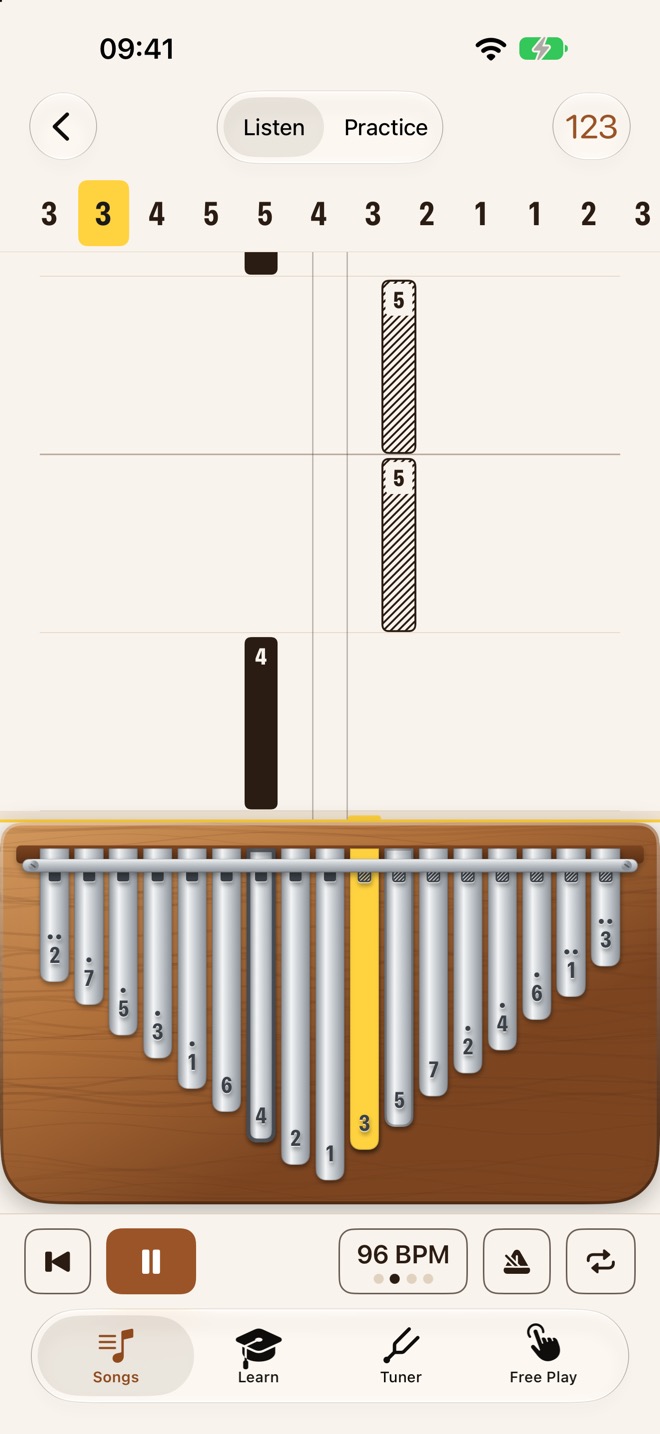
Kalimba Coach is for people who bought a kalimba, found a number tab online, and then stared at seventeen identical steel tines wondering which one is "3". It shows the instrument on screen, laid out exactly like the real one, with the longest key in the middle and the rest alternating outward. The key to play lights up yellow and sounds, so what you see on screen maps straight to the thumb on the real tine.
It's in App Review now and coming soon to iPhone and iPad.
A score you don't have to read
Most kalimba players don't read sheet music, and they shouldn't have to. Kalimba Coach shows a song as a falling score: every key has its own column, every note is a bar in that column, and a longer bar is a longer note. When a bar reaches the kalimba, you play that key. The tab is still there in a strip across the top, for anyone who learned from tabs.
What's in it
- Listen and Practice. Listen plays the song for you. Practice waits for you, one note at a time, and tells you afterwards which notes were tricky.
- Practice on your real kalimba. The app listens through the microphone and moves on when you pluck the right key. Nothing is recorded, and no audio leaves the device.
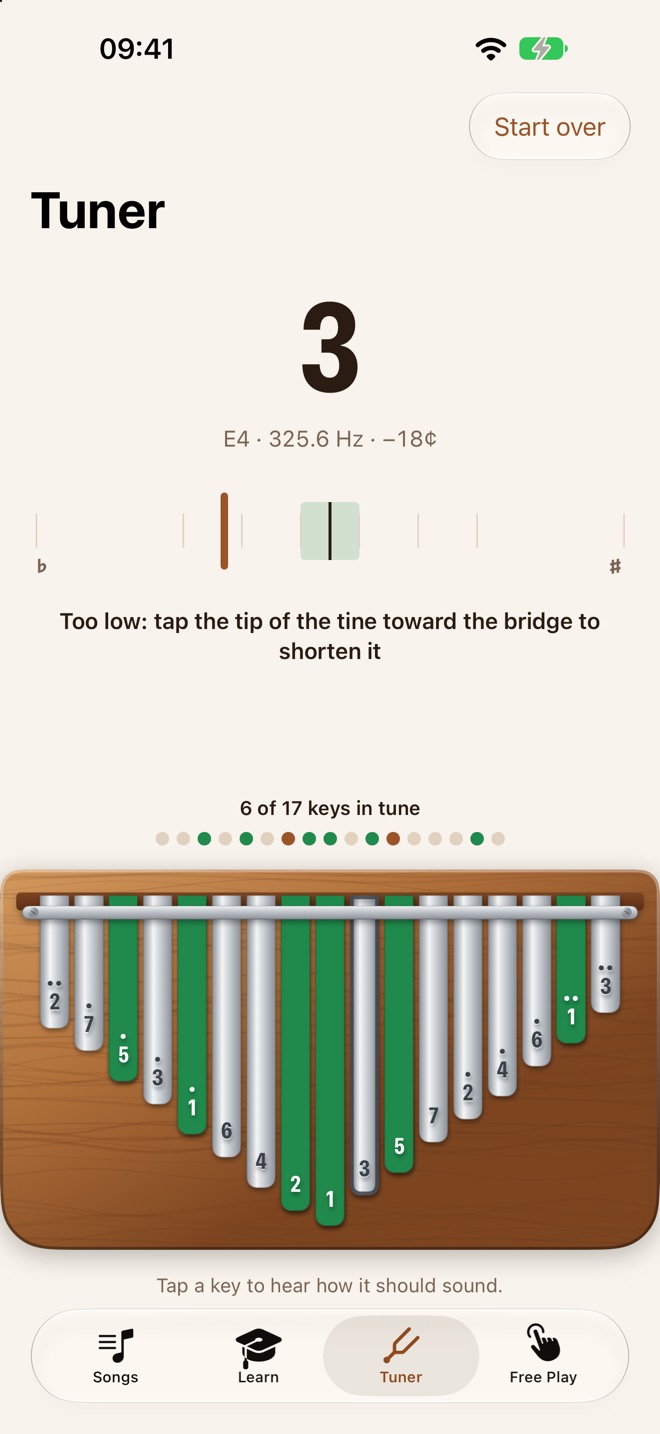
- A tuner for all 17 keys. It shows which key you played, how many cents it's off, and which way to tap the tine with your tuning hammer.
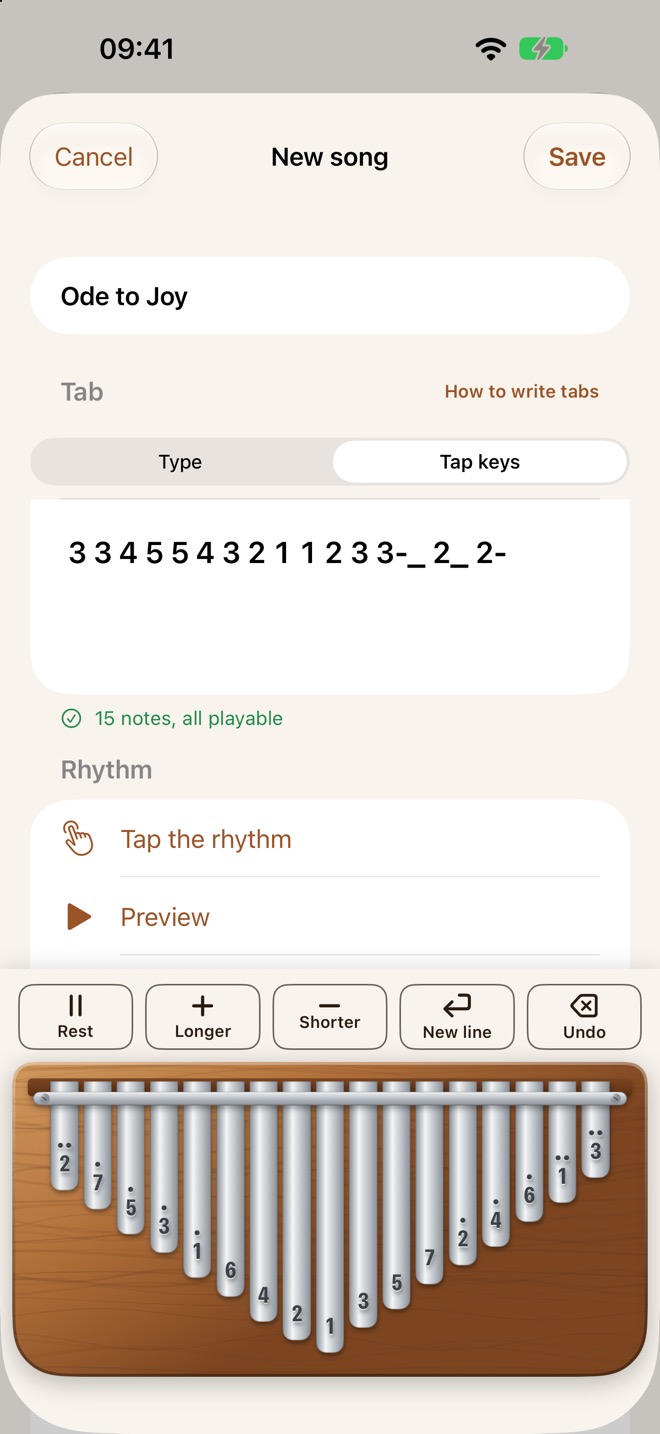
- Your own songs. Tap the keys, type a number tab, or photograph one on paper and let the app read it.
- Practice tools. A metronome with count-in, tempo from 50 to 160 BPM, and a loop with a speed trainer that gets 5% faster each pass.
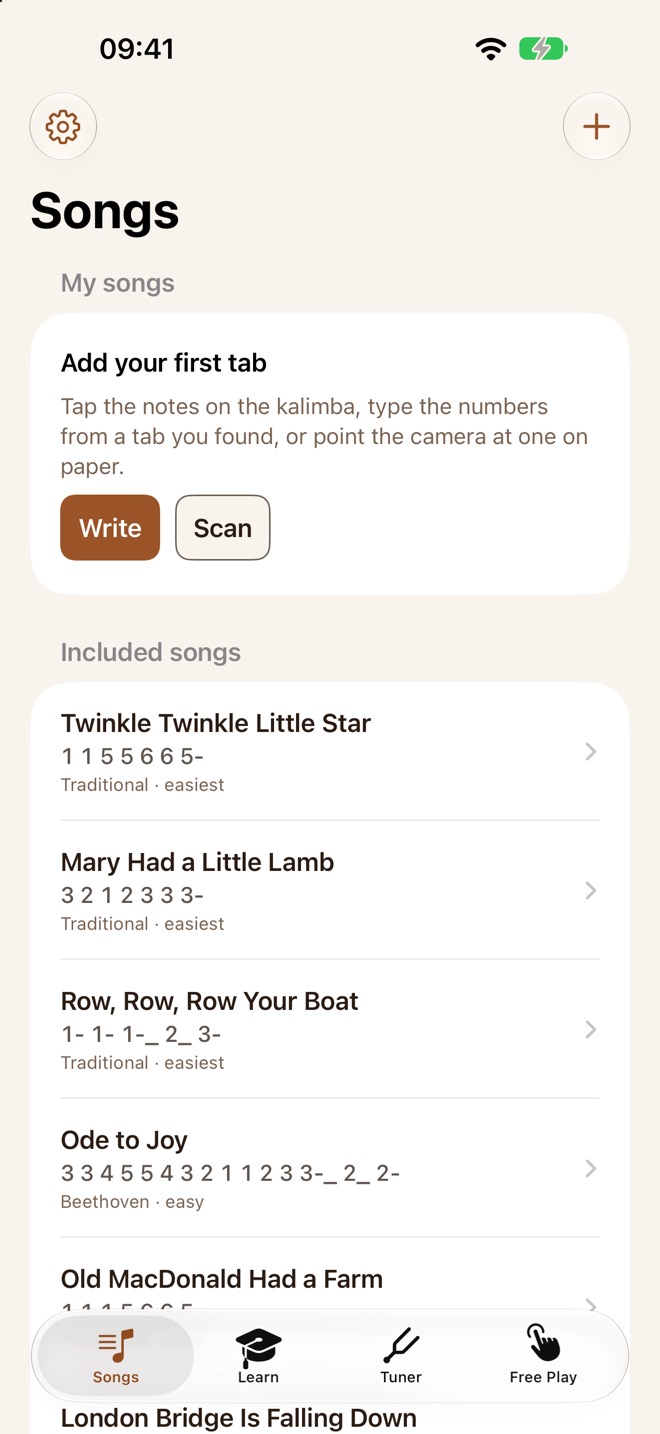
- 15 songs included, from Twinkle Twinkle to Pachelbel's Canon, plus short lessons on the keys, octave dots and rhythm.
Free Play, the tuner, the lessons and three songs are free. Kalimba Coach Pro adds the other songs, practice on your real kalimba, your own songs and the loop, as a monthly or yearly subscription with a free trial.
Hearing a kalimba is harder than it sounds
My first version of practice mode used a pitch tracker: work out which note is sounding, and check whether it's the right one. In the simulator, with clean test tones, it was perfect. On my real kalimba it kept hearing the wrong notes.
The problem is that a kalimba rings. A tine you plucked two seconds ago is still sounding when you pluck the next one, and if the old note was loud and the new one is soft, a pitch tracker hears the old note. Plucking the same key twice is worse: the second pluck sounds just like the first one still ringing. And a tine's overtones can make it sound like the note an octave above.
What fixed it was asking a different question. A 17-key kalimba can only play 17 notes, so the app doesn't ask "what pitch is sounding?" any more. It asks "which key just got louder?"
- It measures each key on its own. About a hundred times a second, it checks the energy at each of the 17 frequencies with the Goertzel algorithm, a cheap way to measure one frequency at a time.
- A pluck is a jump, not a level. Each key keeps a recent peak that fades like a ringing tine. A new pluck has to rise clearly above that peak, so a note that's still ringing never counts twice, and a soft new note isn't hidden by a loud old one.
- It waits a moment before deciding. Neighbouring keys leak into each other, so it decides a split second after the jump, once the new note is clearly in front.
- Octaves get a second opinion. If a key and the one an octave below both jump, the higher one is usually the lower one's overtone. A classic pitch tracker, YIN, breaks the tie, and it also supplies the exact cents for the tuner.
Synthetic tests can't prove any of this. A recording of a perfect sine wave doesn't ring, beat or leak like a real tine in a real room. So every change got the same test: put the phone on the table, play a song on the kalimba, and see whether it follows.
Five languages, five ways to name a note
Kalimba Coach comes in English, German, Spanish, French and Italian, and translating the words was the easy part. Note names change with the language too. German calls B "H". French, Italian and Spanish use Do Re Mi, and they say Si where English solfège says Ti. So the labels on the keys follow the language the app is in, not just the menus.
One small App Store tip
- If you translate your Info.plist with a String Catalog, give it English values too, not only the other languages. Without them the build can ship the keys themselves as the English text, so the microphone prompt would read "NSMicrophoneUsageDescription". App Review checks these prompts automatically. Before you upload, open
en.lproj/InfoPlist.stringsinside the built app and read what's really there.
Kalimba Coach is coming soon. You can play the kalimba on its page right now; it's a real one, with sound. When it's out and you try it on your own kalimba, send me an email about how well it hears your instrument. Every kalimba and every room sounds a little different, and that's the feedback I most want.