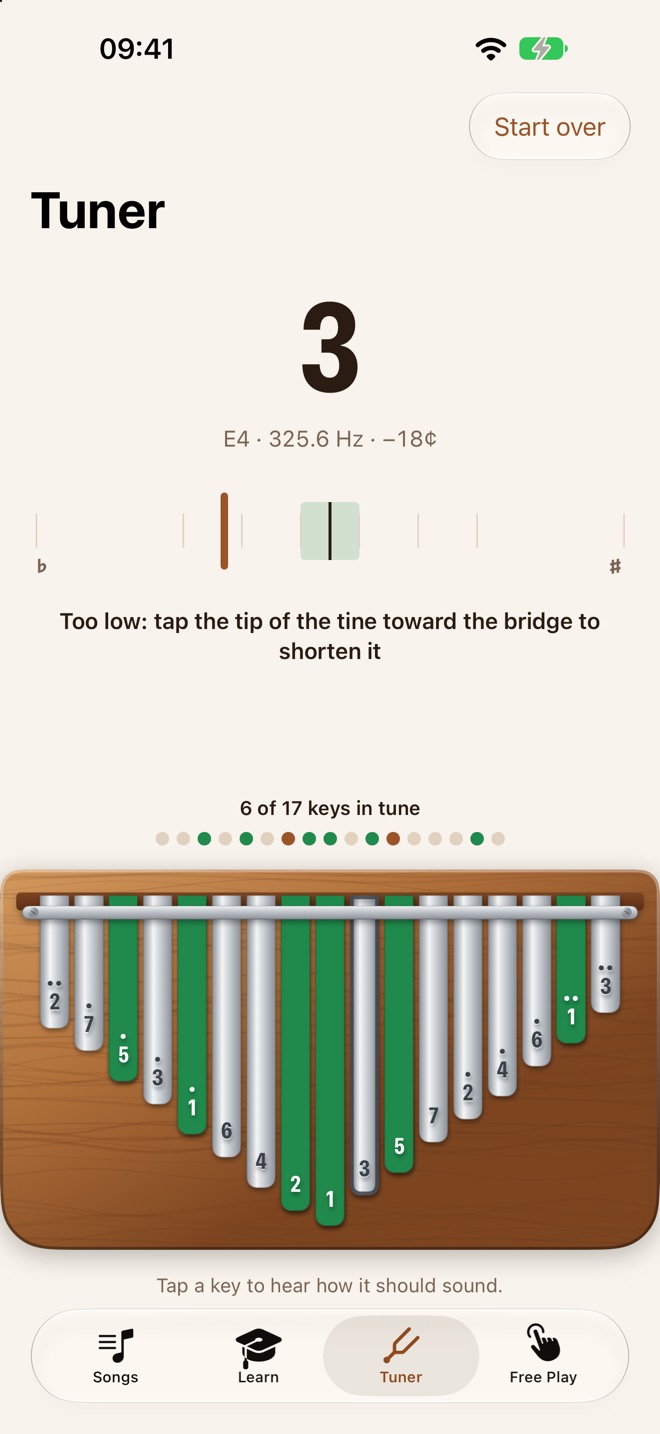
A tuner for all 17 keys
Pluck a key and see how far off it is. It tells you which way to tap the tine, and keeps track of which keys are already in tune.
Coming soon · iPhone & iPad
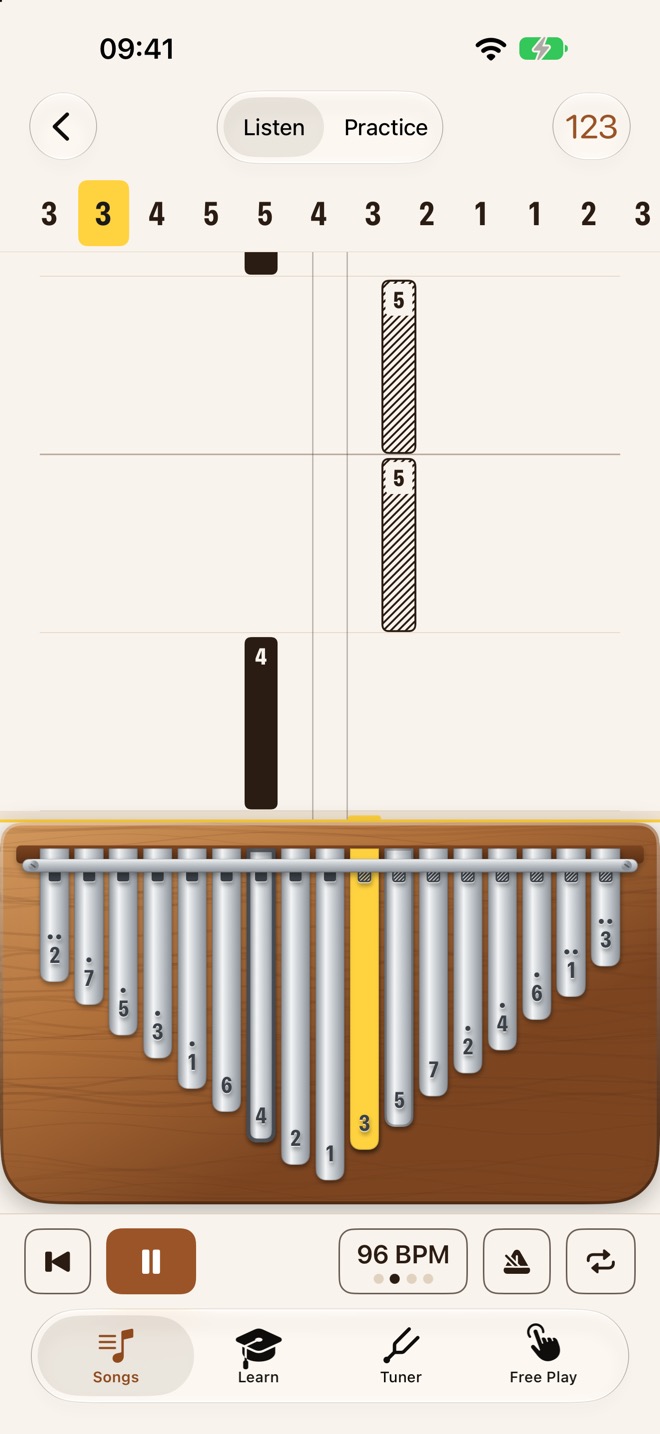
Every note falls onto the key you pluck. Follow it down, play it, and the song moves on. No sheet music, no guessing which tine is which.
The rising score
Each key has its own column. A note is a bar in that column, and the longer the bar, the longer the note. When it reaches the yellow line, play it.
The number tab you already know runs along the top, with the current note in a yellow chip.
Practice mode
Prop your phone up, tap the mic and play. Kalimba Coach hears which key you plucked and waits on the right one, so the song moves at your speed. A wrong note just keeps it waiting. Nothing is recorded.
Pluck a key and see how far off it is. It tells you which way to tap the tine, and keeps track of which keys are already in tune.
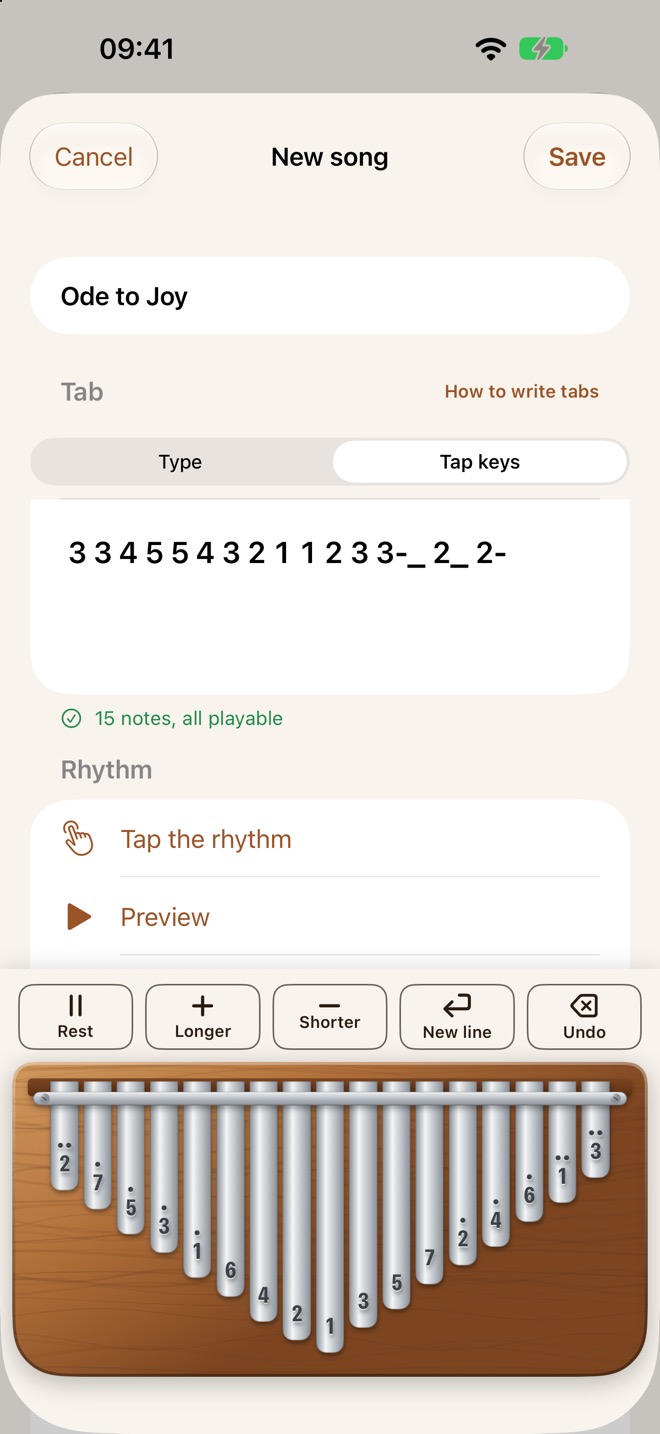
Found a tab online? Tap the notes on the kalimba, type the numbers, or point the camera at a tab on paper.
Seven short lessons, from the middle key to the high notes.
Slow a song down. The speed trainer brings it back up a little each time through.
Pick the bars you keep missing and repeat them.
The app speaks English, German, Spanish, French and Italian, and names the notes the way you learned them.
Monthly or yearly, each with a free trial.
Kalimba Coach is almost ready. Questions, or want to hear when it's out? Email me.
A song that won't scan, or a note the app doesn't hear right? Email me and say which kalimba you play.
Kalimba Coach Pro is optional and renews automatically. You can cancel at any time in Settings › Apple Account › Subscriptions, at least 24 hours before it renews.
Kalimba Coach collects no data. The microphone is only used while you practice, and nothing is recorded. Read the privacy policy.