Kalimba Coach is out: learn the kalimba, one key at a time
Kalimba Coach is on the App Store for iPhone and iPad. If you have a kalimba in a drawer and a tab you never figured out, this is the app I built for you. Here's what's in 1.0, and the quickest way from unboxing to your first song.
Kalimba Coach teaches the 17-key kalimba. It shows the instrument on screen, laid out exactly like the real one, and every note in a song falls onto the key you need to pluck. Yellow always means the same thing: play this one now.
A few weeks ago I wrote about how the app learned to hear a real kalimba. That's the clever part under the hood. This post is about the part you see: what it's like to pick up a kalimba for the first time with the app next to you.
Your first ten minutes
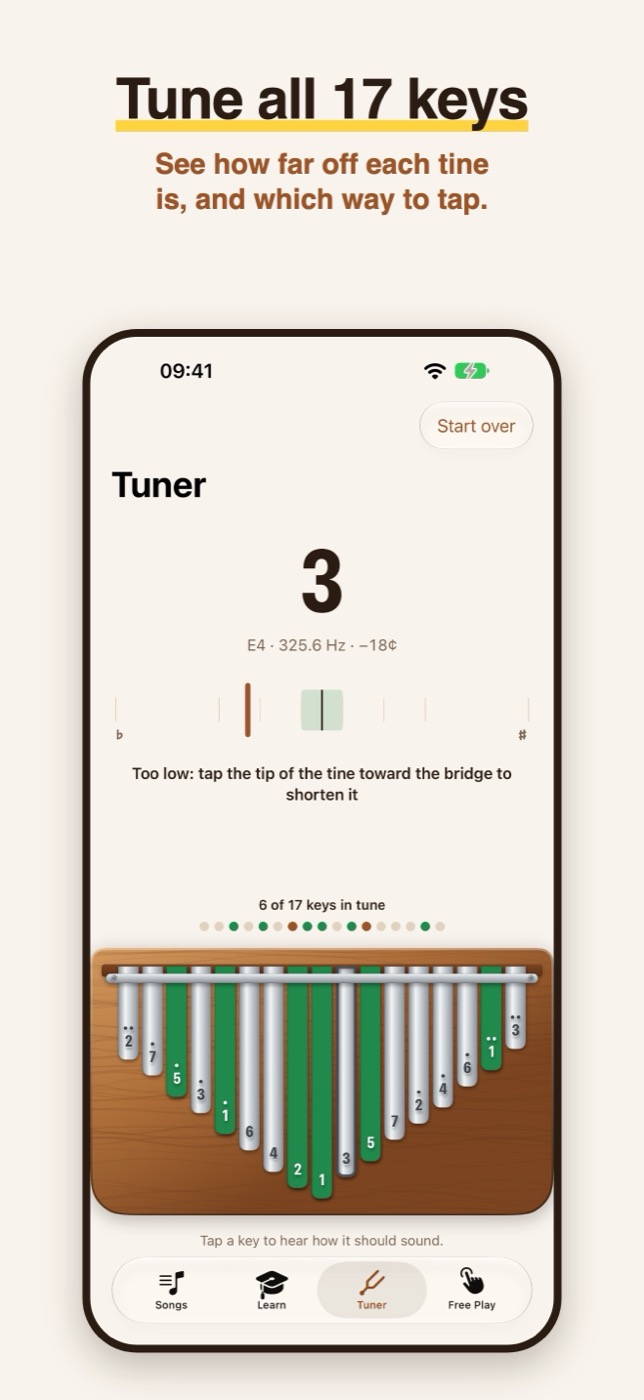
- Tune it. New kalimbas are rarely in tune. Open the Tuner, pluck each key, and it tells you how far off it is and which way to tap the tine. A row of dots fills in as keys come into tune.
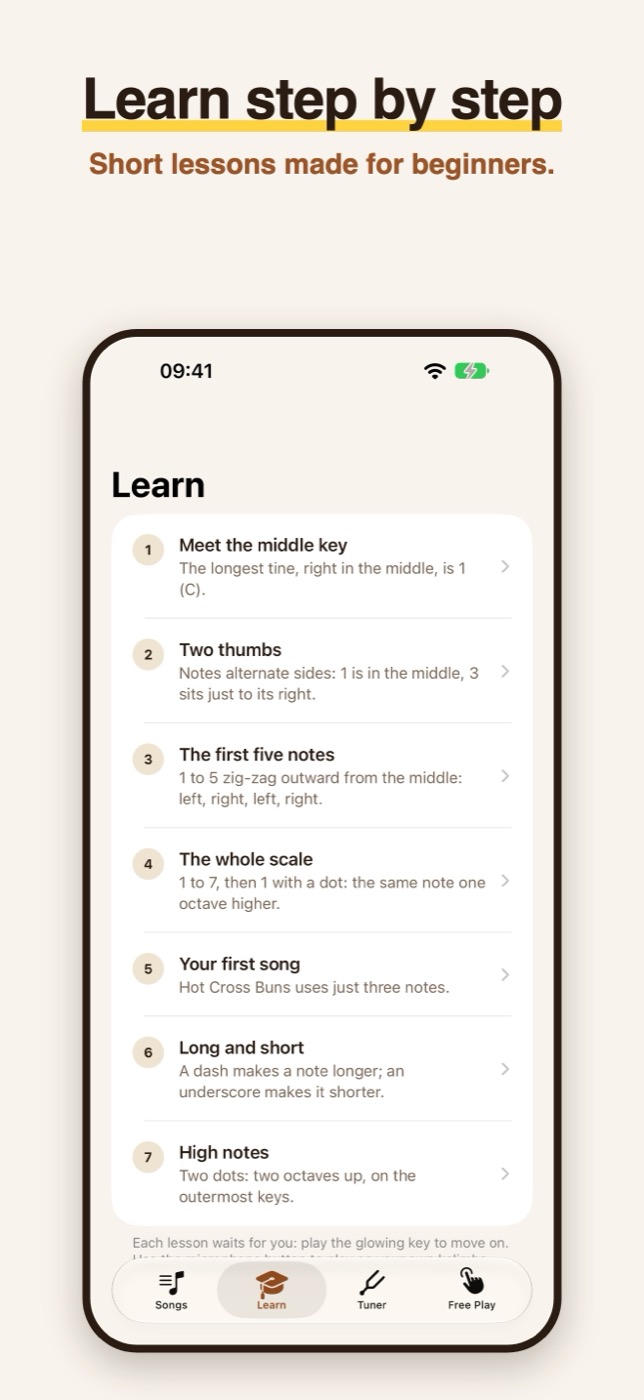
- Take the lessons. Seven short ones, starting with the longest tine in the middle. By lesson five you play your first song, Hot Cross Buns, with just three notes.
- Pick a song. Twinkle Twinkle is the easiest place to start. Listen to it once, then switch to Practice, where the song waits for you on every note.
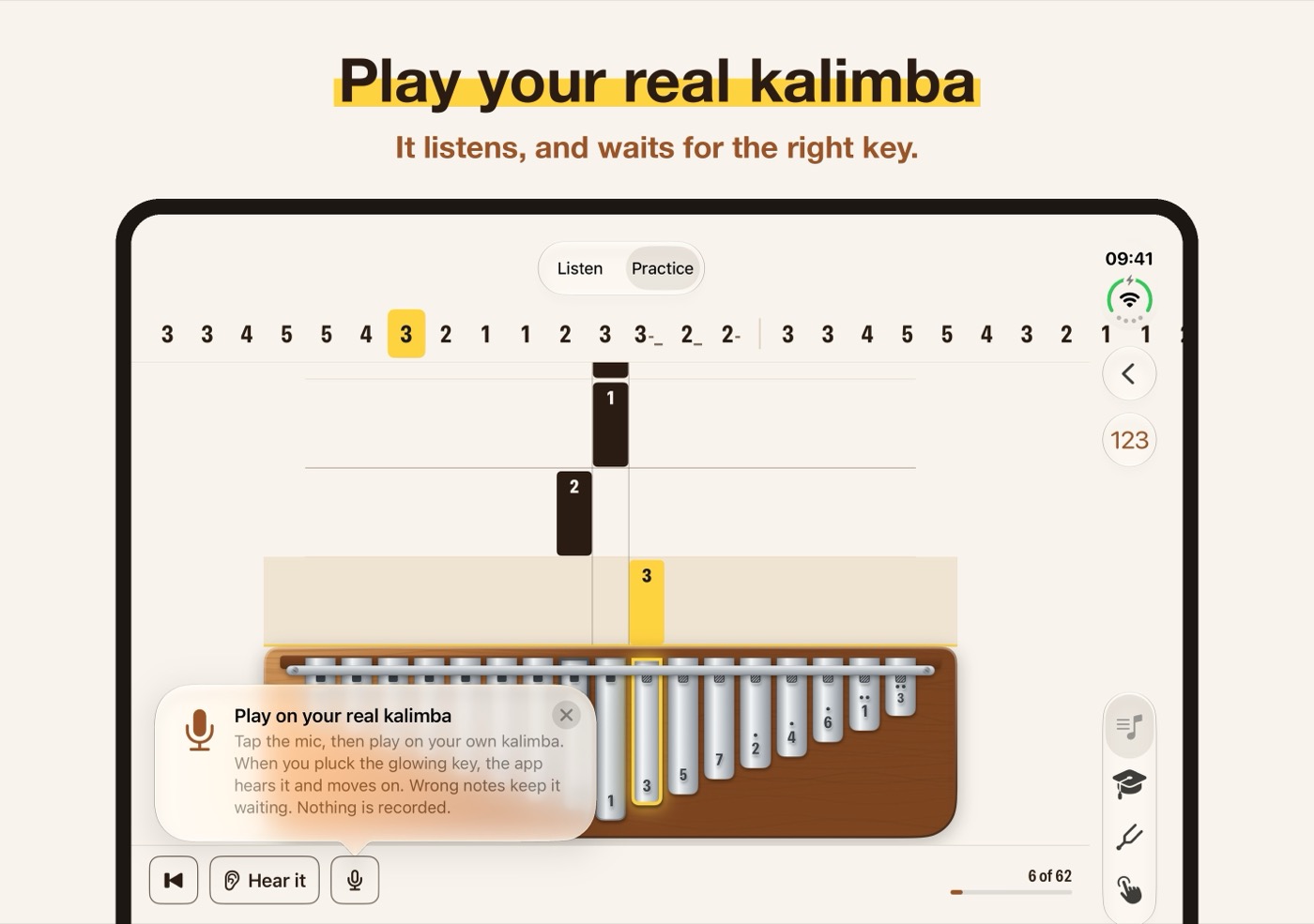
- Turn on the mic. Prop your phone up, tap the microphone and play on your real kalimba. Pluck the glowing key and the song moves on. Nothing is recorded.
What's in 1.0
- A score you don't have to read. Every key has its own column and every note is a bar that falls onto it. The number tab you already know runs along the top.
- Listen and Practice. Listen plays the song for you. Practice waits for you, then tells you which notes were tricky.
- 15 songs. From Twinkle Twinkle, Mary Had a Little Lamb and Ode to Joy to Amazing Grace, Silent Night and Pachelbel's Canon.
- Your own songs. Tap them in on the kalimba, type a number tab, or point the camera at a tab on paper.
- Practice tools. A metronome with count-in, tempo from 50 to 160 BPM, and a loop with a speed trainer that gets 5% faster each time through.
- Your way of naming notes. Numbers, letters or Do Re Mi on the keys, and thumb hints for left and right.
- Five languages. English, German, Spanish, French and Italian, with note names that follow the language: H in German, Si in French, Italian and Spanish.
Made for a phone on the table
When you play, both thumbs are on the kalimba, so the app can't ask much of your hands. Everything is meant to be read from half a metre away and touched only between phrases. It plays sound even when your phone is on silent, because a practice app that goes quiet in silent mode isn't much use.
On iPad the kalimba gets room to breathe, and it's the most comfortable way to practise with the iPad propped up behind your instrument. On iPhone Duo, half-folded like a little laptop, the score sits on one side of the fold and the kalimba on the other.
Free to start
Kalimba Coach is free to download. Free Play, the tuner, every lesson and three songs are free, and you can practise them by tapping the keys on screen. Kalimba Coach Pro adds every included song, practice on your real kalimba through the mic, writing and scanning your own songs, and the loop with the speed trainer. It's $14.99 a year with a 7-day free trial, or $2.99 a month with a 3-day free trial.
Kalimba Coach is on the App Store for iPhone and iPad with iOS 18 or later. You can also play a kalimba with sound on its page. If you try it on your own instrument, send me an email and tell me which kalimba you play and how well the app hears it. Every kalimba and every room sounds a little different, and that's the feedback that makes the next version better.